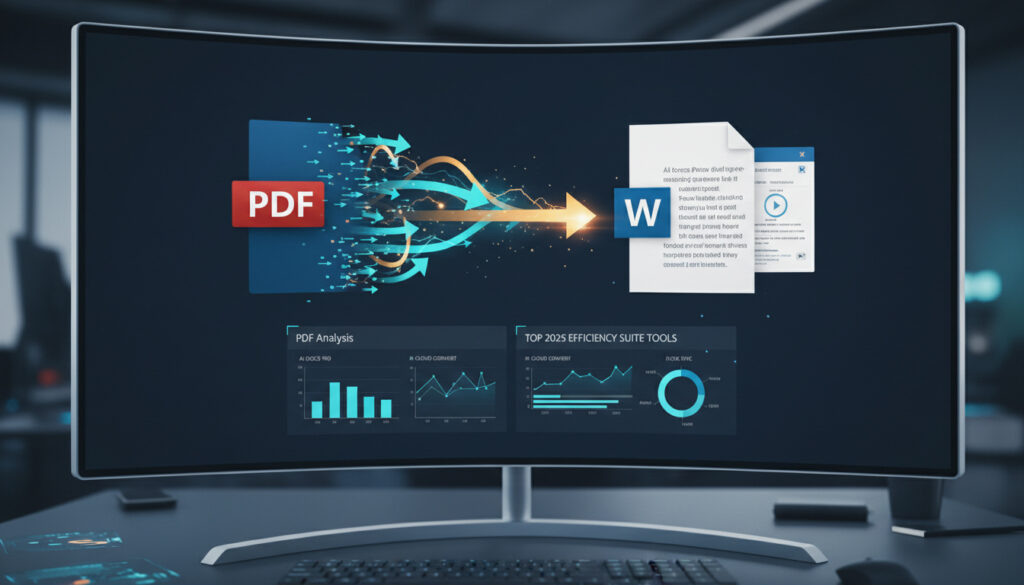
Free PDF to Word Converter – Top 2025 Tools Compared
Converting PDF documents to editable Word format remains essential for students, professionals, and casual users who need to modify text, extract content, or repurpose documents. The best free PDF to Word converter depends on your specific needs, as different tools excel in different areas.
Options range from browser-based solutions requiring no installation to desktop applications offering offline functionality. Factors such as file size limits, watermark policies, and formatting preservation determine which tool suits specific workflows.
This guide examines the top performers in 2025, comparing online and desktop solutions while addressing security concerns, accuracy rates, and the realities of “free” conversion services.
What is the Best Free PDF to Word Converter?
| Tool | Type | Key Advantage | Primary Limit |
|---|---|---|---|
| DeepPDF | Online | Fast batch processing, no watermarks | Requires internet connection |
| PDF Candy | Online | Single-click conversion interface | Limited batch capabilities |
| PDFgear | Desktop/Online | No file size limits (desktop) | 100 MB limit (online version) |
| Smallpdf | Online | Highest accuracy, no installation | Conversion limits on free tier |
- DeepPDF leads for most users due to fast batch processing and solid formatting preservation without adding watermarks, according to 2025 comparative reviews.
- PDF Candy offers the simplest experience with a single-click conversion interface and clean navigation accessible across devices, notes TechRadar.
- PDFgear provides the fastest performance with no file size restrictions on its desktop version and works offline, though the online version supports files up to 100 MB, as detailed by PDFgear’s documentation.
- Smallpdf requires no installation or account creation while preserving format with the highest accuracy among online converters, according to GeeksforGeeks.
- iLovePDF delivers unlimited free online conversions without sign-up, working seamlessly from laptops to tablets.
- PDF24 Tools operates as a 100% free service with no limits, no watermarks, and no registration required.
- FreeConvert handles complex layouts, embedded charts, and custom fonts while preserving hyperlinks—a feature many free alternatives lack.
| Feature | DeepPDF | PDFgear | Smallpdf | iLovePDF |
|---|---|---|---|---|
| Installation Required | No | Optional | No | No |
| File Size Limit | Not specified | None (desktop) / 100 MB (online) | Limited | Limited |
| Batch Convert | Yes | Yes | Yes | No |
| OCR Available | Yes | Yes | Yes | No |
| Sign-up Required | No | No | No | No |
| Watermark Output | No | No | No | No |
| Offline Support | No | Yes (desktop) | No | No |
| Mobile Optimized | Yes | Yes | Yes | Yes |
How Do I Convert PDF to Word for Free?
Converting documents requires selecting a tool that matches your technical environment and document complexity. Most online solutions follow a similar workflow: upload the PDF, select Word format, and download the converted file.
Desktop alternatives like FreeConvert and PDFgear offer additional control for users handling sensitive materials or working without internet connectivity. These applications typically support drag-and-drop functionality and provide immediate local processing.
Can I Convert PDF to Editable Word for Free?
Yes. Tools such as Smallpdf and PDFgear preserve editing capabilities without charging fees, though desktop users gain advantages with complex layouts. FreeConvert specifically handles embedded charts and custom fonts while maintaining hyperlink functionality.
For best results with free tools, ensure your PDF contains selectable text rather than pure image scans. While OCR-capable converters like PDFgear and Smallpdf process scanned documents, native digital PDFs convert with higher fidelity and fewer formatting errors.
Similar to consulting an InPost Locker usage guide for logistics management, reviewing each tool’s specific capabilities before starting ensures smoother document handling and appropriate format selection.
Is There a Truly Free PDF to Word Converter Online?
Several services offer genuinely free conversion without hidden costs or mandatory trials. PDF24 Tools provides unlimited conversions without watermarks or registration, while iLovePDF operates across devices without requiring account creation.
Which Tools Require No Registration?
PDF24, iLovePDF, Smallpdf, and PDFgear all allow immediate use without email submission or account setup. This zero-barrier approach particularly benefits users handling one-off conversions or working on shared devices.
How Safe Are Online PDF Converters?
Security practices vary by provider. PDFgear deletes files immediately after conversion and maintains no document archives. Similarly, iLovePDF and Smallpdf process files without requiring personal identifiers for basic operations.
When traveling or using public networks, connectivity security matters as much as file handling. Just as travelers consult a Vodafone 8 Day Roaming Pass guide for reliable data access, verifying that your chosen converter offers automatic file deletion provides additional confidentiality protection.
What Are the Limitations of Free PDF to Word Converters?
Free tiers impose specific constraints that paid versions eliminate. Understanding these boundaries prevents workflow interruptions during critical projects.
Do Free Converters Add Watermarks?
None of the major free tools—including DeepPDF, PDFgear, Smallpdf, iLovePDF, and PDF24—apply watermarks to converted documents. However, some services limit the number of conversions per hour or restrict advanced features like batch processing.
Online versions typically enforce file size ceilings around 100 MB, while desktop applications like PDFgear and FreeConvert handle larger documents without restrictions. UniPDF’s free plan notably lacks batch conversion capabilities, requiring sequential processing of multiple files.
How Has PDF to Word Conversion Technology Evolved?
The landscape of document conversion has shifted dramatically from proprietary software dependence to browser-based accessibility.
- Adobe’s Online Launch: Adobe introduced web-based PDF to Word conversion, establishing baseline functionality for browser-based document handling. The company’s Acrobat DC remains the premium standard, though free alternatives now compete closely.
- 2015+ Browser Revolution: The mid-2010s saw the emergence of tools like Smallpdf and iLovePDF, eliminating installation requirements and enabling cross-platform functionality.
- Batch Processing Integration: Recent developments include DeepPDF introducing fast batch processing capabilities within free tiers, previously available only in paid software.
- Mobile Optimization: iLovePDF and similar services optimized for smartphone and tablet interfaces, allowing document conversion directly from mobile devices without app installation.
- Desktop Renaissance: Tools like PDFgear and FreeConvert returned focus to offline capabilities, offering unlimited file sizes and enhanced privacy through local processing.
What Is Definite vs. Uncertain About Free PDF Converters?
Distinguishing between verified capabilities and marketing claims helps users set realistic expectations.
| Established Information | Uncertain or Variable |
|---|---|
| Multiple tools (DeepPDF, PDF24, iLovePDF) offer truly free conversion without watermarks or registration | Exact file size limits for “limited” tiers on Smallpdf remain unspecified in public documentation |
| PDFgear deletes files immediately after conversion, storing no user documents | Long-term availability of OCR features in free tiers (such as Sejda) remains subject to change |
| Desktop versions eliminate internet dependency and file size restrictions | Specific accuracy rates for scanned documents vary significantly based on image quality and text complexity |
| FreeConvert preserves hyperlinks and complex layouts better than browser-based alternatives | Batch processing speed depends on server load and local hardware specifications |
What Context Explains the Need for PDF Conversion?
Academic researchers frequently extract quotations from journal PDFs into Word documents for analysis and citation management. Business users convert contracts and invoices to edit terms or integrate content into proposal templates. Legal professionals transform court filings and discovery documents into editable formats for case preparation.
The demand stems from PDF’s intended purpose as a final-format container. While excellent for preserving visual consistency across devices, PDFs resist editing by design. Free conversion tools bridge this gap, allowing content reuse without retyping or expensive software licenses.
Students and educators represent another significant user group, converting scanned textbooks and article PDFs into accessible formats for annotation and study guide creation.
What Do Expert Reviews Reveal?
Independent technology evaluations provide additional context regarding tool performance and reliability.
PDF Candy converts PDFs in a single click with an uncomplicated interface, accessible on laptops, tablets, and phones.
— TechRadar, 2025 Review
Smallpdf requires no installation or account creation and preserves format with high accuracy.
— GeeksforGeeks, Utilities Analysis
DeepPDF leads for most users due to fast batch processing, solid formatting preservation, and no watermarks.
— DeepPDF Comparative Analysis, 2025
Which Free PDF to Word Converter Matches Your Needs?
Select DeepPDF for batch processing multiple documents quickly, or choose PDF Candy for straightforward single-file conversions. PDFgear Desktop suits users handling large files or requiring offline access, while Smallpdf serves those prioritizing formatting accuracy without installation. For completely unrestricted use without registration, PDF24 provides the most open access model.
Frequently Asked Questions
Is there a free PDF to Word converter without watermarks?
Yes. DeepPDF, PDF24, iLovePDF, Smallpdf, and PDFgear all produce Word documents without adding watermarks, even in their free versions.
Can I convert large PDF files to Word for free?
Desktop applications like PDFgear and FreeConvert handle large files without size restrictions. Online tools typically limit files to approximately 100 MB.
Do free PDF to Word converters work on mobile devices?
Yes. iLovePDF, Smallpdf, and PDF Candy operate through mobile browsers without app installation, processing conversions directly on smartphones and tablets.
Are online PDF converters safe for confidential documents?
PDFgear deletes files immediately after conversion. For highly sensitive materials, desktop converters like FreeConvert process files locally without uploading to external servers.
Do I need to install software to convert PDF to Word?
No. Browser-based tools including Smallpdf, iLovePDF, and PDF24 require no installation. Desktop options exist for users preferring offline processing.
Can free converters handle scanned PDFs with OCR?
Yes. PDFgear, Smallpdf, and DeepPDF include OCR capabilities in their free tiers, converting scanned images into editable text.
More related posts
 Martha Plimpton Biography: Career, Relationships & Facts
 Chris Eubank Jr: Record, Benn rematch, family tragedy
 Peter Kay’s Health Journey: Diagnosis, Weight Loss, Tour Update
 Leslie Ash: Infection, NHS Lawsuit & Life Today
 Kelsey Grammer: Frasier Star’s Tragedies, Parkinson’s, Politics, Feud
 Phlegm Stuck in Throat for Months: Causes & Remedies
 First Day of Summer 2025 – Exact Date, Time and Facts
 Julie Etchingham: Career, Awards, and Latest Updates (2025)